Email app for Android, Windows and Mac

Built for us,made for you

We needed an email app for Android and Windows, and nothing on the Play Store fit the way we work as web and marketing professionals. So instead of settling for one, we built our own. Sendular is the app we wanted to use every day, heavily inspired by Apple Mail.

Free. Android 8 or newer, Windows 10 or 11, macOS 11 or newer.

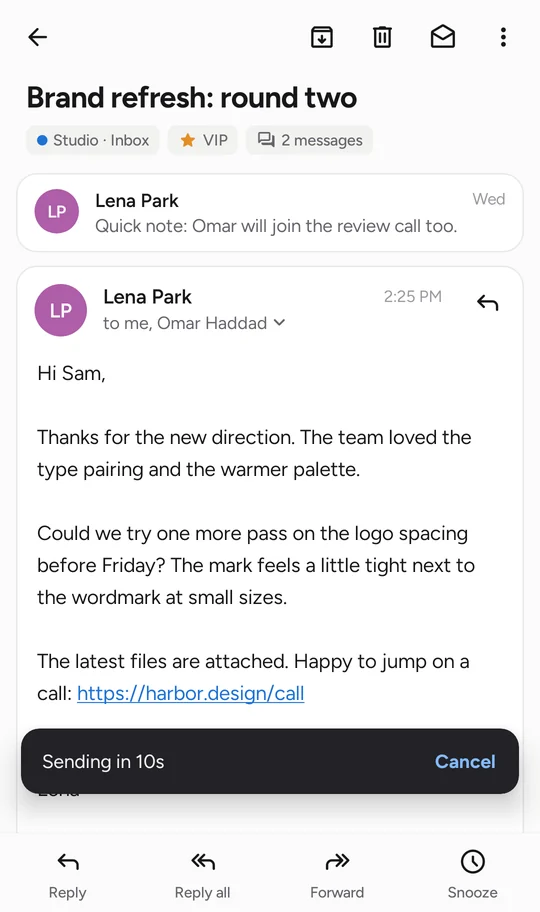
An open email in Sendular, a reply about a brand refresh, with the message bar along the bottom.
Sending in 10s

Try itTap Cancel before the timer runs out. That's the whole idea.

What it does

A calm inbox for the mail you already have

Sendular isn't a new email address. Add the accounts you use today and keep everything on your provider, just with a better app in front of it.

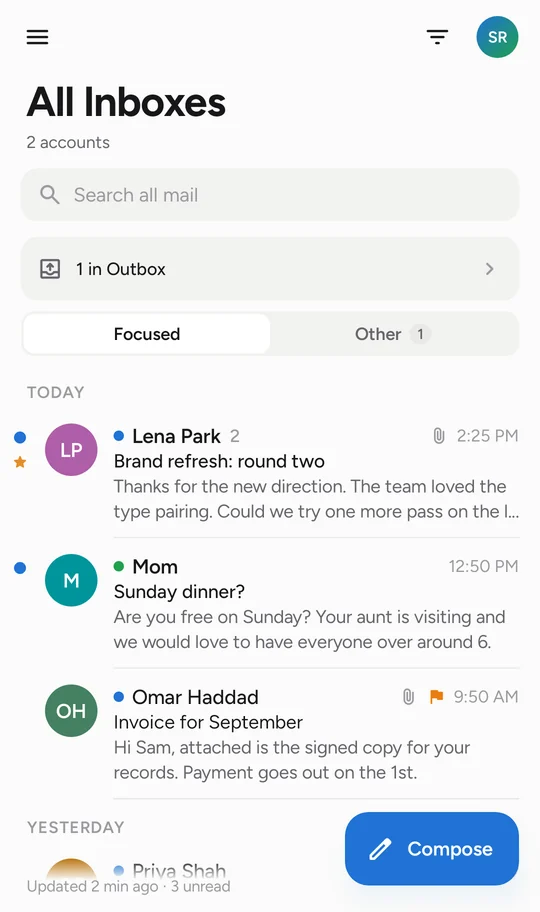
All Inboxes with mail from two accounts, split into Focused and Other.

Every account in one inbox

Work and personal mail land together in All Inboxes, each with its own colour. Newsletters and automated mail move to Other, so Focused holds the messages people wrote to you.

  • Conversations grouped by their reply headers
  • VIPs, flags, snooze and smart mailboxes
  • Swipe actions you choose, on both sides
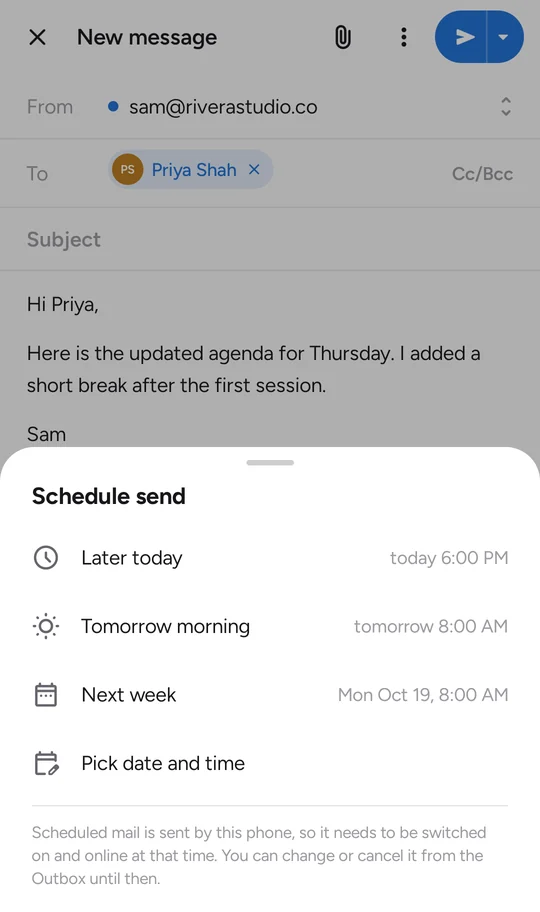
A new message with the Schedule send options: later today, tomorrow morning, next week, or a set time.

Send it later, or not at all

The send delay is 10 seconds out of the box. Set it anywhere from off to two minutes. Mail only leaves when the timer runs out.

Schedule a message for tomorrow morning instead, and it waits in your Outbox until then. Change your mind and it goes back to Drafts.

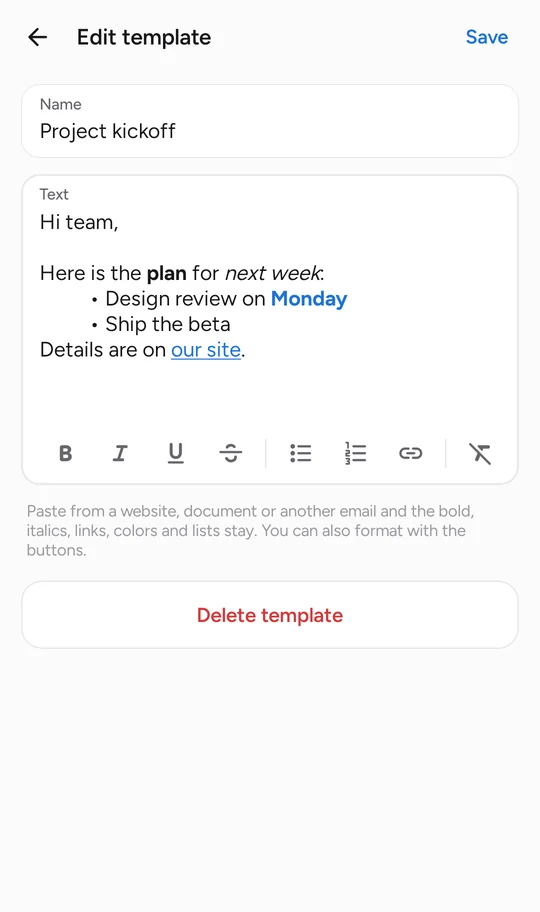
Editing a template with bold, italics, a bulleted list and a link, plus formatting buttons.

Templates that keep their formatting

Paste from a document, a website or another email. Bold, links and lists survive the trip. Signatures work the same way, with a different one per account if you like.

  • Quick replies for the answers you type every day
  • Send-as addresses for each account
  • Drafts copied to your server, so they show up everywhere
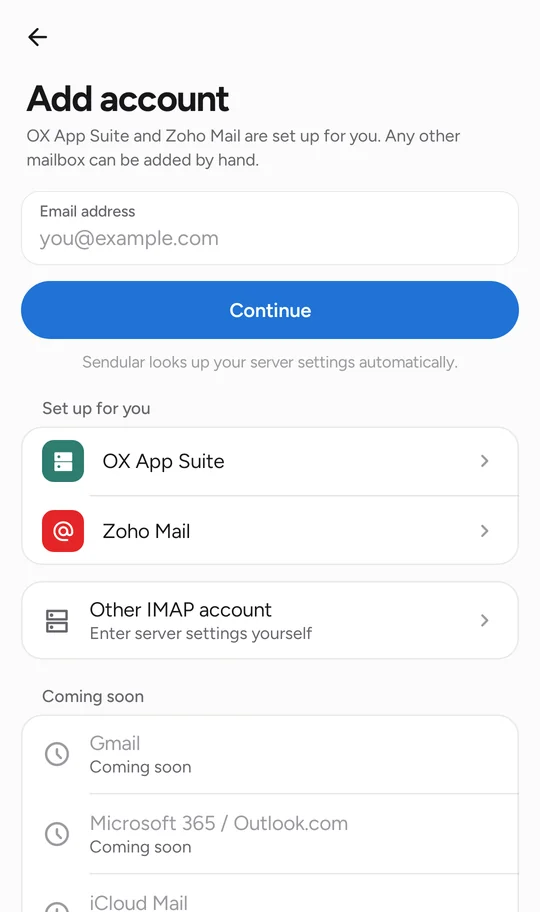
Add account screen with one-tap setup for OX App Suite and Zoho Mail, and manual IMAP setup.

Set up in about a minute

Type your address and Sendular looks up the server settings. OX App Suite and Zoho Mail are one tap. Any other IMAP mailbox can be added by hand.

New mail arrives in seconds through IMAP IDLE when your server supports it, with a notification that opens the message.

Big screens

Unfold it. Open it on your PC.

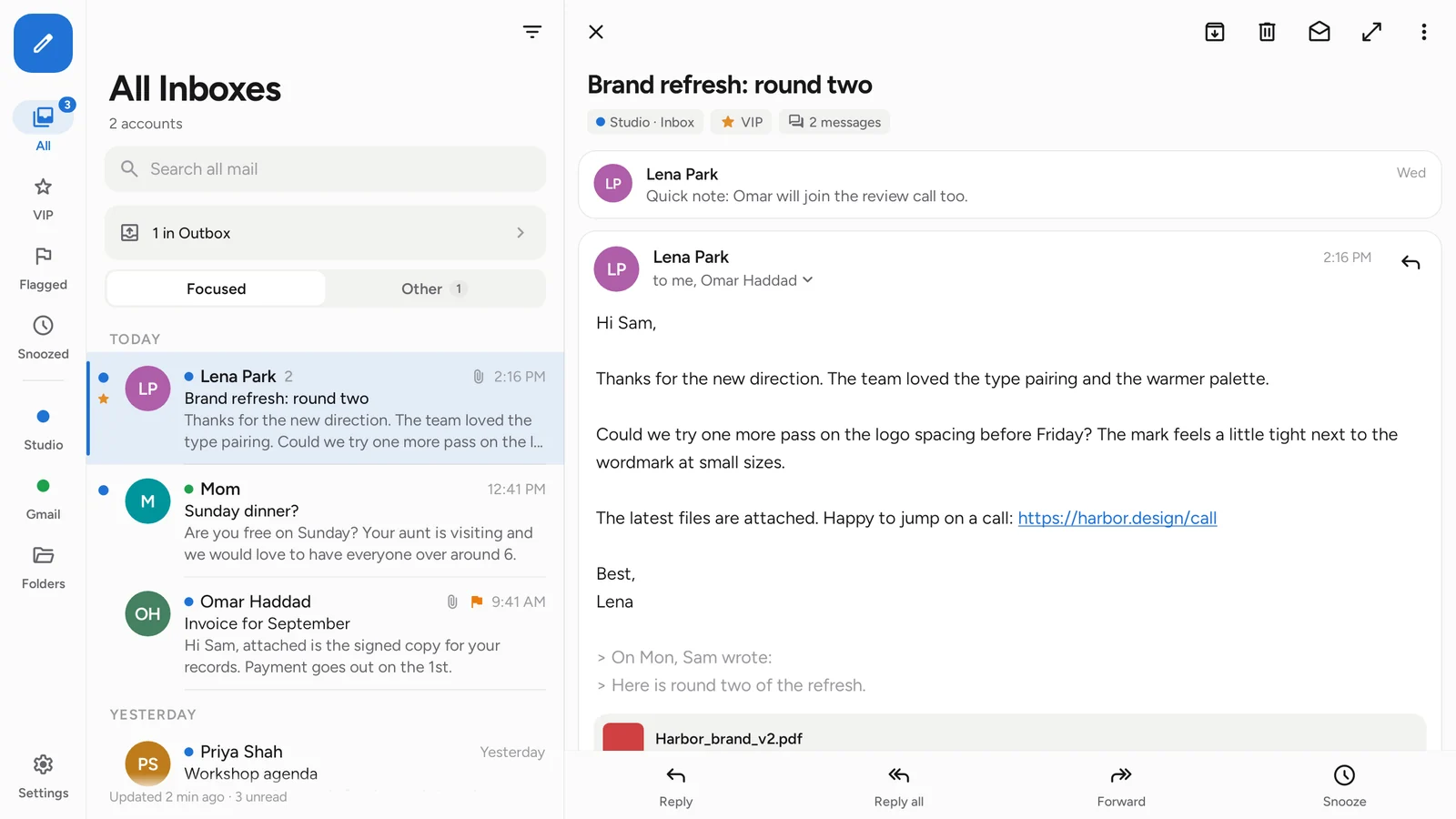
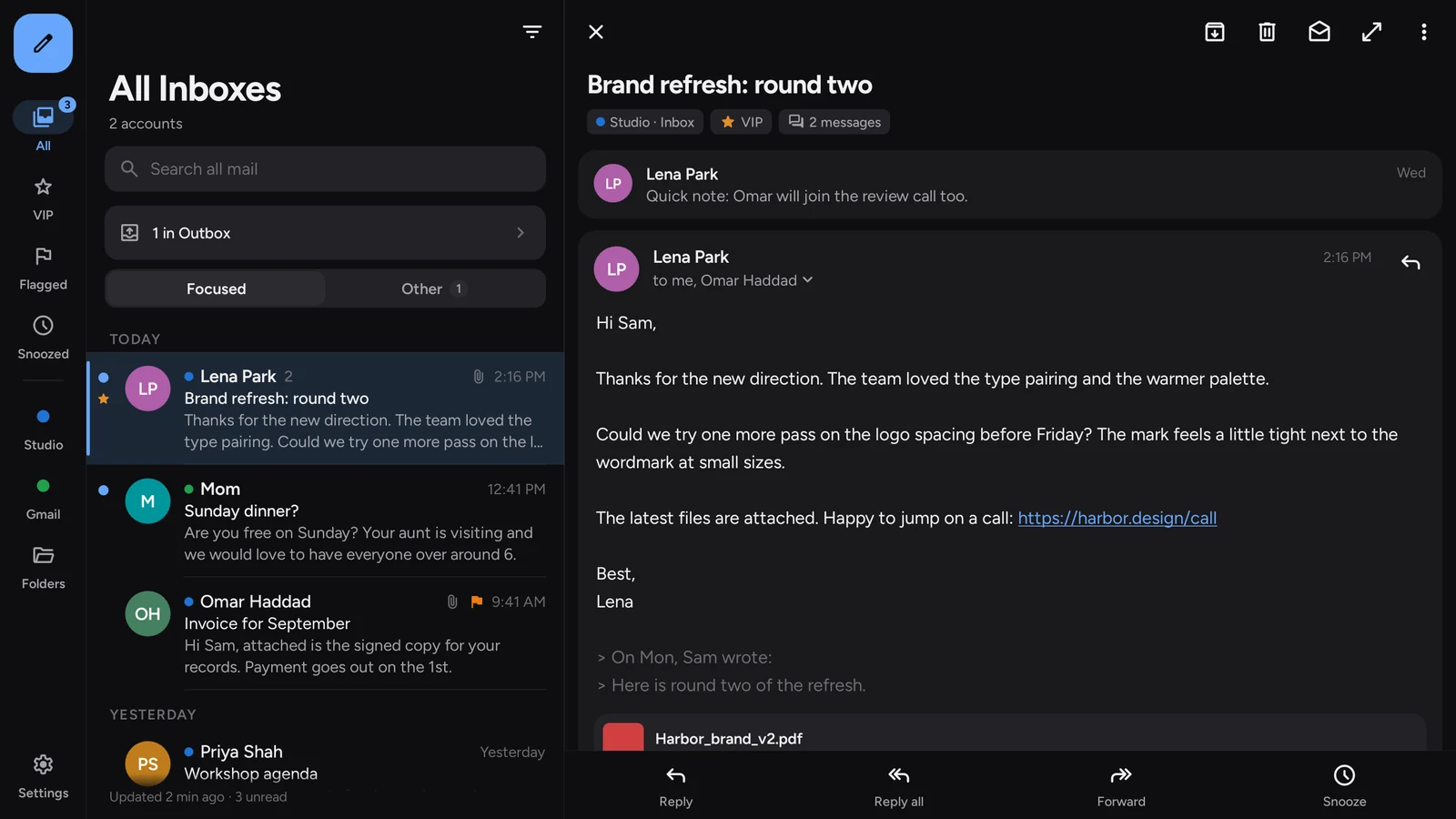
On a Galaxy Z Fold, a tablet or a Windows or Mac window, the list and the message sit side by side. Light, dark, or whatever your device uses.

Android phonesGalaxy Z Fold and FlipTabletsWindows 10 and 11macOS 11 and later
Sendular on a wide screen: the inbox on the left and an open message on the right. The same two-pane layout in dark mode.

Privacy

Your mail stays between you and your provider

There's no Sendular account, no Sendular mail server and nothing that reports on you. Here's exactly what that means.

Trackers stay blocked

Remote images, the usual way senders see when you open a message, are off until you allow them. No scripts run in messages.

No analytics

The app talks to your mail provider and nobody else. Setup may ask autoconfig.thunderbird.net for your provider's server settings, and the app checks this site for updates.

Passwords stay encrypted

Stored with the Android Keystore, Windows encryption or the macOS Keychain, tied to your device. On Android and Windows, add an app lock with your fingerprint, face or PIN.

Works with

Any mailbox that speaks IMAP

If your provider gives you IMAP and SMTP settings, Sendular can use them with a password or app password.

  • OX App Suite One tap
  • Zoho Mail One tap
  • Your own domain Settings found for you
  • Fastmail, iCloud, Yahoo App password
  • Any IMAP server Set up by hand
  • Gmail, Outlook.com Sign-in coming soon

Download

Get Sendular

Every download is free and comes straight from this site.

Android

Version 0.5.5. APK, 9.9 MB. Android 8.0 or newer. Works on phones, tablets and foldables. Updates from inside the app.

Download for Android

SHA-256 b82bcda1f16897f64387ffcb4a45f23329427e647197d1746f55dc4e6980b3d2

How to install
  1. Open the downloaded file on your phone.
  2. If Android asks, allow your browser to install apps, then tap Install.
  3. Open Sendular and add your first account. New versions show up in Settings, Updates, and install with one tap.

Windows

Version 0.5.5. Zip, 110 MB. Windows 10 or 11, 64-bit. Nothing to install, and it updates itself.

Download for Windows

SHA-256 757a997a11dd8cd8a956df1a0b45f64e231eba18877fea51e9f00d0d811e9546

How to install
  1. Extract the whole zip to a folder you keep, for example in your user folder.
  2. Double-click Sendular.exe. If Windows shows "Windows protected your PC", choose More info, then Run anyway.
  3. New versions download in the background and are used the next time Sendular starts.

Mac

Version 0.5.5. Zip, 117 MB (Apple Silicon) or 111 MB (Intel). macOS 11 Big Sur or newer. Drag to Applications, and it updates itself.

Apple Silicon SHA-256 7267c87dba69f8642ae93f7717f75c7acec51ee4ce54cfe0da052ef7a2de6b8d
Intel SHA-256 185840ada17a7429dc3ff40bb787ec4494f2f8dd05af0e74a710bf06dab2522f

How to install
  1. Not sure which Mac you have? Apple menu, About This Mac: "Chip: Apple M..." is Apple Silicon, "Processor: Intel" is Intel.
  2. Open the zip, then drag Sendular.app to your Applications folder.
  3. The Mac app isn't notarized by Apple yet, so the first time macOS says it can't check it. Open System Settings, Privacy & Security, scroll down and choose Open Anyway next to Sendular. On older macOS, right-click Sendular.app and choose Open.
  4. Prefer Terminal? Run xattr -dr com.apple.quarantine /Applications/Sendular.app once instead, then open Sendular normally.
  5. macOS may ask once to let Sendular use your Keychain, where it keeps the key for your saved passwords. Choose Always Allow.

Good to know

Before you switch

It's a preview

Sendular is young. Sync, sending and push are tested carefully, but you may still find rough edges. Your mail stays on your server either way.

Gmail and Outlook.com

Google and Microsoft sign-in is coming soon. Until then, those accounts need an app password from your provider, where they offer one.

Not from an app store yet

Android asks you to allow installs from your browser, Windows SmartScreen may warn you because the Windows app isn't code-signed yet, and macOS asks you to confirm the first start because the Mac app isn't notarized yet. Compare the SHA-256 above if you want to check a download.

English only for now

Dates and times follow your device's language and clock, but the app's text isn't translated yet.